

TL;DR
Enrichment can write over fields that were already correct, because nobody gave it rules.
My fix is the Fill-Only Firewall: trace, split by entry point, fill only, normalize before write, check daily.
Do that and every bad record points back to whatever made it.

An email address and nothing else
The lead had an email address. That was it.
The name fields were blank and so was company, so the record was basically an email address with a CRM wrapped around it.
Some leads in an inbound chat-to-CRM flow I worked on showed up like that. Digging in, I found 3 separate data enrichment issues in that one flow. I fixed 2 myself and the third with a teammate.
One cause was simple. A trial form only required an email. So an email is exactly what it sent.
Another issue was different. I could see enrichment doing its job the right way. Then, for some reason, the record got overwritten. Fields that were already correct got replaced.
Nobody gave enrichment permission to do that. Nobody told it not to, either.
This came out of my own work in a Series A SaaS operator role, so the specifics stay there. But the pattern shows up anywhere a team runs inbound. It’s why I now treat enrichment as a write process that needs rules before it needs another data source.
The advice that causes it
Here’s what most teams hear when they buy enrichment. Connect the provider, switch on auto-enrich and let it clean up the CRM. More sources means more coverage, so add a second one while you’re at it.
I get why it sounds right. Enrichment feels additive. You’re adding data, so what could it break?
But enrichment isn’t a read. Every tool you connect gets write access to your records, and plenty of them will overwrite an existing value unless someone tells them not to. Connect 2 and they can fight over the same company field with nobody in charge of the tiebreak. Neither one throws an error when that happens.
You find out later, and usually it’s someone else who finds out. Picture a rep opening a lead with no name 5 minutes before a call. Or a routing rule that doesn’t recognize the country value, so the lead just sits there. Nobody blames enrichment. Why would they? It never threw an error.
Now add AI agents. They score leads, route them and draft emails off these same records. If enrichment wiped out the right answer, the agent runs with the wrong one and doesn’t stop to check.
I wrote about deciding what an agent is allowed to write to in The Write Boundary Map. Same idea here. Scope enrichment before you plug in another source.
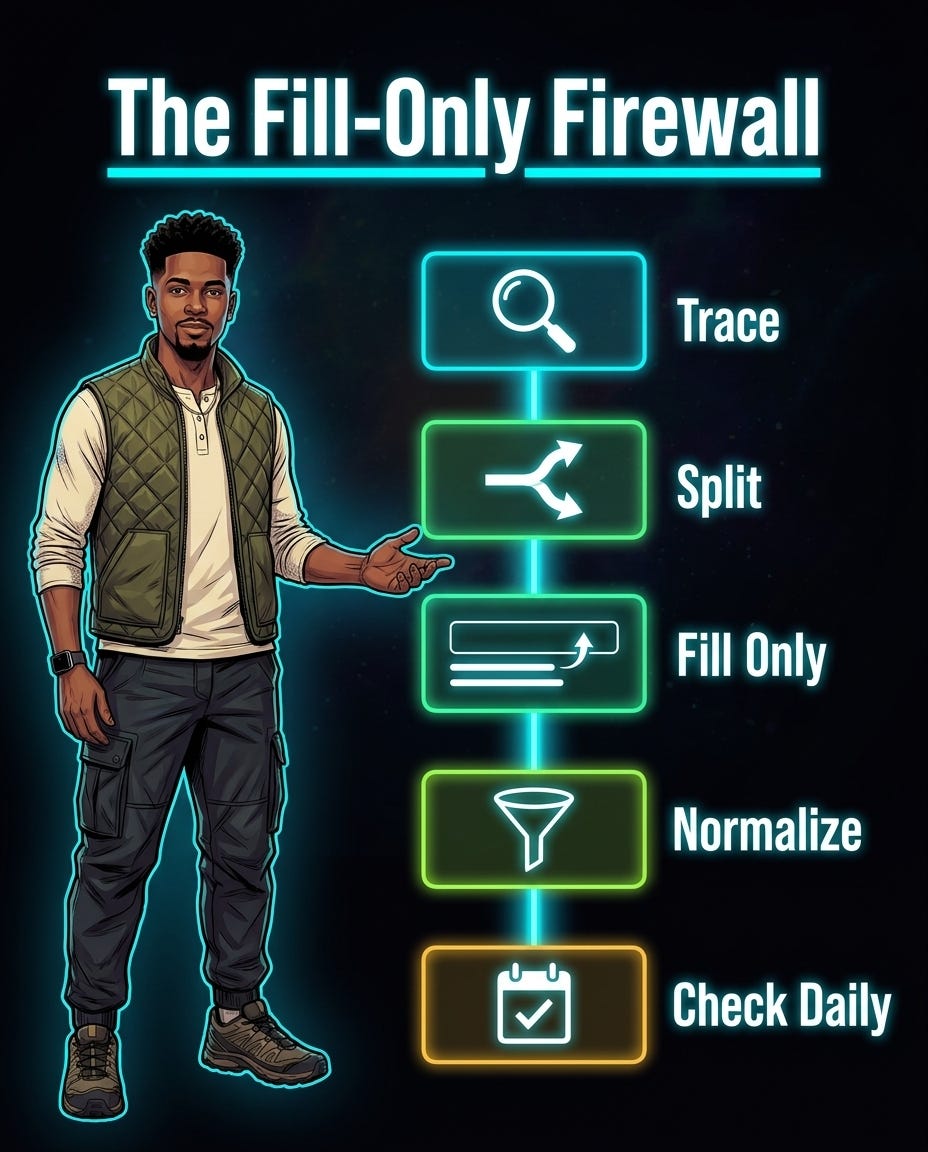
The Fill-Only Firewall
5 steps. The first 2 are detective work. The last 3 build the fence.
Step 1: Trace
Start by pulling the last 20 records each integration created. Do it one source at a time: forms, the chat widget, list imports, and yes, the enrichment sync too.
For each record, check 4 fields: first name, last name, email and company. Mark which ones are empty. You’re not fixing anything yet.
Why bother? A CRM-wide data quality score tells you the data is messy. It can’t tell you why. Sort the same bad records by the integration that created them and a pattern usually jumps out. Bad data has an address.
Here’s an illustrative example. Say a fractional client, a Series B startup, runs a demo form, a chat widget and a monthly list import. You pull 20 records from each. The demo form records come back complete, but the chat records keep missing a company. Now you’re looking at 1 flow instead of the whole database.
Don’t bother with a random sample across the whole CRM. It’ll confirm you have a mess. That’s all it’ll do.
Step 2: Split by entry point
This step is how I caught one of my causes. A trial form asked for an email and nothing else, so that’s all it ever passed along. I could have cleaned those leads every week and the form would’ve kept sending more.
So group your bad records by the form or integration that created them. Then open that source and read its settings. Which fields are required? Which ones get mapped into the CRM, and which get dropped on the floor?
Cleaning records one by one is the trap. It feels like work. Then next month the same form hands you the same mess.
For the client example, picture a chat widget that only asks for an email before the conversation starts (illustrative). Make company required, or carry it over from the chat, and you’ve fixed it at the source. You clean up once instead of every month.
Step 3: Fill only
This rule goes straight at the overwrite issue I found.
It’s short. Enrichment may write to an empty field. It may never overwrite a populated one. And a blank or whitespace value never gets written over real data, because a failed match shouldn’t erase a good one.
Some enrichment tools have a setting for this, usually labelled something like “only update empty fields.” When a tool doesn’t, put the rule in your own workflow. Check the field before the write and skip the write if a value’s already there.
Here’s an illustrative case where it bites. A contact switches jobs and a rep fixes her company field by hand. With no fill-only rule, the next sync can put her old employer right back. Turn fill-only on and enrichment still fills company on new leads. It just stops touching the rep’s fix.
I’d also stay away from the “overwrite if newer” option. Newer doesn’t mean correct. A bad match pulled this morning is still a bad match.
Step 4: Normalize before write
Picture the same client routing reps by country (illustrative). One enrichment source writes “USA.” Another writes “US.” The picklist says “United States.” Every one of those leads looks complete. None of them goes anywhere.
That’s why values get mapped before they land, not after. Build a small mapping table for each enrichment source covering the fields your routing depends on, like country, state, industry and company size. Anything that doesn’t map goes to a holding field for review. Never the live field.
Your routing rules, territories and reports all run on your own values. Enrichment doesn’t know that unless you tell it.
I’d skip the nightly cleanup job that fixes values after the fact. By the time it runs, the routing rule has already fired on the bad value.
Step 5: Check daily
Steps 1 to 4 fix the problems you already know about. New forms and vendor updates will bring problems you don’t know about yet.
So schedule a check that scans every record created in the last 24 hours for the 4 required fields. Anything incomplete gets flagged the same day, along with the source that created it. Name 1 person who reads the flags each morning.
Say the client’s partnerships lead launches a referral form and forgets to tell RevOps (illustrative). The next morning the check flags a handful of records missing a last name, all from that 1 form. Fixing it is quick, because you already know which form did it.
A monthly audit sounds more grown-up. It just finds the same problem weeks later, after reps and agents have been working from bad records the whole time.
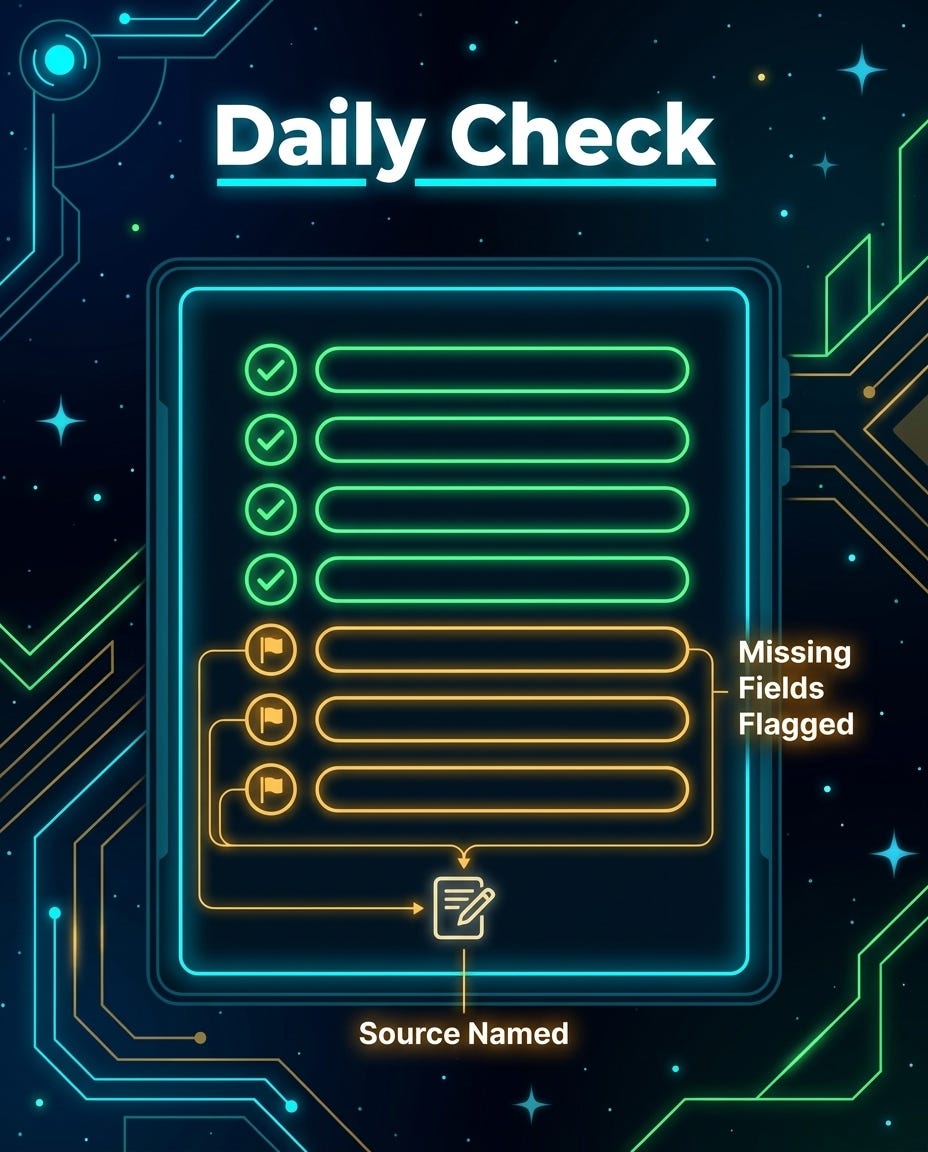
The checklist
Copy this into your ops doc and work through it this week.
Trace: list every integration that can create or update a record, pull its last 20 records, and mark empty first name, last name, email and company fields.
Split: group the bad records by source, open each source’s required fields and field mapping, and fix the source before you clean a single record.
Fill only: flip on “update empty fields only” in each enrichment tool. Where there’s no setting, add a check before the write. And don’t let a blank overwrite a real value.
Normalize: write down the picklists routing depends on. Then build 1 mapping table per enrichment source, with a holding field for anything that doesn’t map.
Check daily: a scan of yesterday’s new records, flagged by source, with 1 named owner reading the flags.
I’d add one more line to that doc: which tool owns which field. If 2 tools can write the same field, pick the winner and write it down. A field with no owner drifts.
Pointing an agent at old records, like in The Dormant Record Sweep? Run Steps 1 and 2 first. An agent working a dormant list inherits every overwrite that list ever took.
Where this doesn’t fit
Fill-only isn’t for every team. If you trust the provider’s data more than your reps’ hand edits, it can lock in stale values, and a review queue for proposed changes works better.
Leave out fields that are meant to move, like lead score or last activity date. Enrichment shouldn’t be writing those anyway.
A CRM with 1 form and no enrichment doesn’t need Steps 3 and 4 yet. Start with Step 5.
If your CRM can’t check a field before writing to it, you’ll need a middle layer before Step 3 is possible.
The short version
Enrichment is a write process, and every write process needs rules. So find where the bad records come from. Fix the entry point before the record. Let enrichment fill blanks but never touch a full field, and map values before they land. Then check every day, because new problems show up faster than audits do. Your agents will only be as right as the records they read, so protect the records first.